
Features
Write in context.
Drafting, world building, research, and optional assistance stay attached to the novel they serve.
Start Writing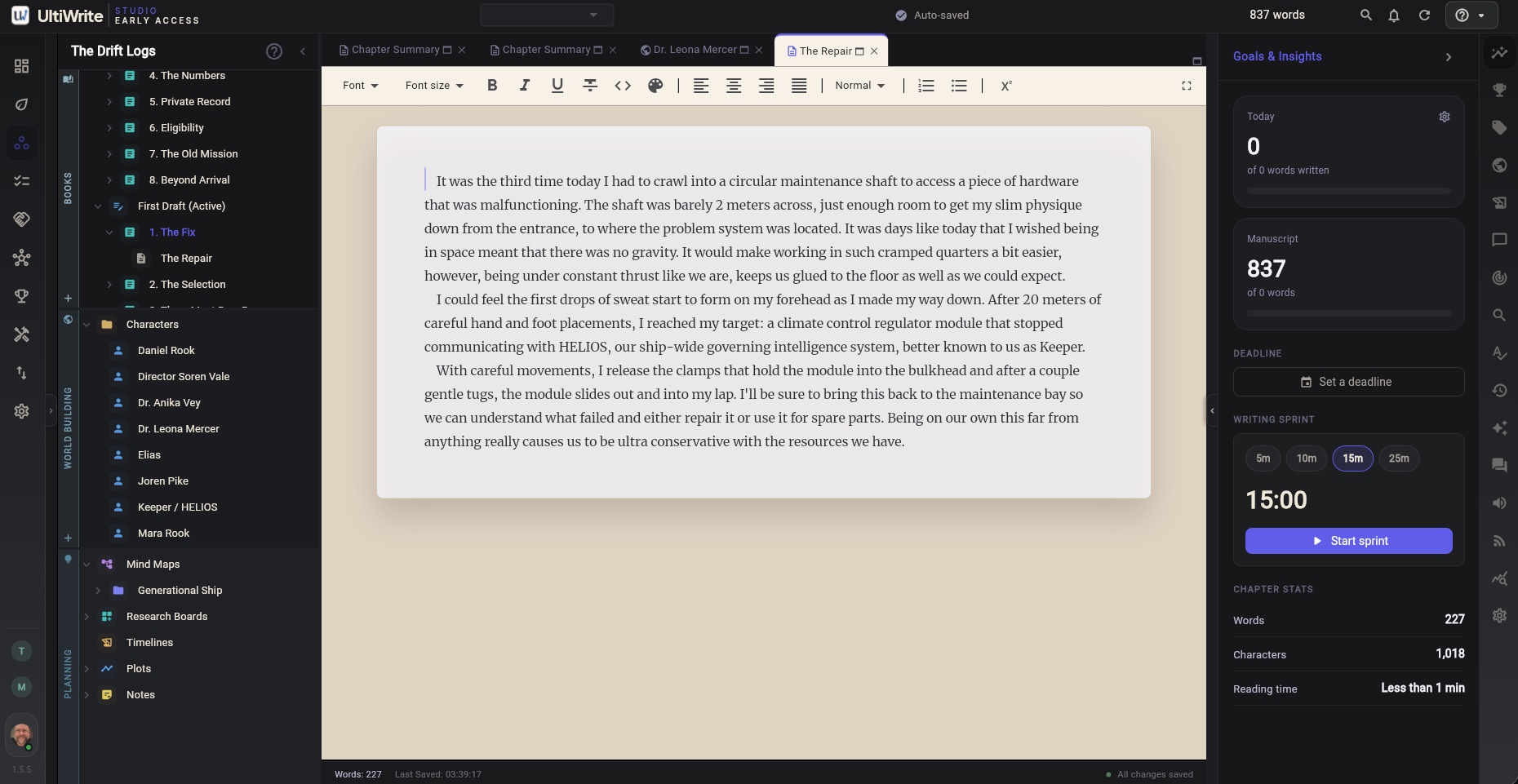
The page stays central.
Supporting tools remain close enough to answer a question without taking over the writing session.
01Writing and revisionDraft with the structure in view, then make every revision easier to understand and carry forward.
- Scene structure
- Track changes
- Revision history
- Research boards
- Mind maps
- Timelines and plot maps
- AI editor and chat
- Local and bring-your-own models
- MCP server integrations
- Scrivener, DOCX, and Markdown import
- EPUB, PDF, and DOCX export
- Book formatting and preview
- Storybook studio
- Comic-book canvas
- Fixed-layout EPUB and PDF
- Cover composer
- Print-cover proofs
- Front matter and metadata
- Teams and shared projects
- Comments, presence, and chat
- Author profiles and discussions
- Google Drive, Dropbox, and OneDrive
- Writing activity and tasks
- Goals, quests, and notifications
From question to finished page.
- CaptureHold the premise, source, or world detail.
- ConnectPlace it beside the chapter or scene it informs.
- WriteMake the final decision in the manuscript.
- FinishExport the complete work in a portable format.